

Fresh archive: Creating Loaders
Creating loaders
Retired Fresh / Deno reference. This original guide preserves the earlier runtime APIs, Preact/HTMX examples, and any former admin steps. Use it when maintaining that runtime; consult the Studio Site Editor guides for current editing. Migration notes distinguish editor and framework migration.
Now that you have learned more about loaders and how they can be used along with a section, let's create a loader that can be used from different sections.
1. Creating a Loader
To do this, we will create a loader separate from the section, in the loaders/
folder of your project.
Create the file DogFactsLoader.ts in the loaders/ folder of your project. It
will have the same logic as the loader we have created in the previous tutorial,
but we have to remember to define the Props interface and export the loader as
default.
export type DogFacts = string[];

export interface Props {
  numberOfFacts?: number;
}

async function loader(
  { numberOfFacts = 1 }: Props,
  _req: Request,
): Promise<DogFacts> {
  const { facts } = await fetch(
    `https://dogapi.dog/api/facts?number=${numberOfFacts ?? 1}`,
  ).then((r) => r.json());

  return facts;
}

export default loader;
2. Using the Loader in a Section
Now that we have created the loader, we can use it in a section. The important thing to note here is that one of the props of the section should match the return type of the loader.
Modify the DogFacts.tsx file in the sections/ folder of your project.
import type { DogFacts } from "../loaders/dogFacts.ts";

// Props type that will be configured in deco.cx's Admin
export interface Props {
  title: string;
  dogFacts?: DogFacts;
}

export default function DogFactsSection(
  { title, dogFacts }: Props,
) {
  return (
    <div class="p-4">
      <h1 class="font-bold">{title}</h1>
      <ul>
        {dogFacts?.map((fact) => <li>{fact}</li>)}
      </ul>
    </div>
  );
}
Now, instead of having an inline loader, the section receives the data itself as a prop, and because of the fact that the loader returns the same type as the prop dogFacts of the section, the Admin recognizes the dogFacts loader as the loader for the DogFacts section.
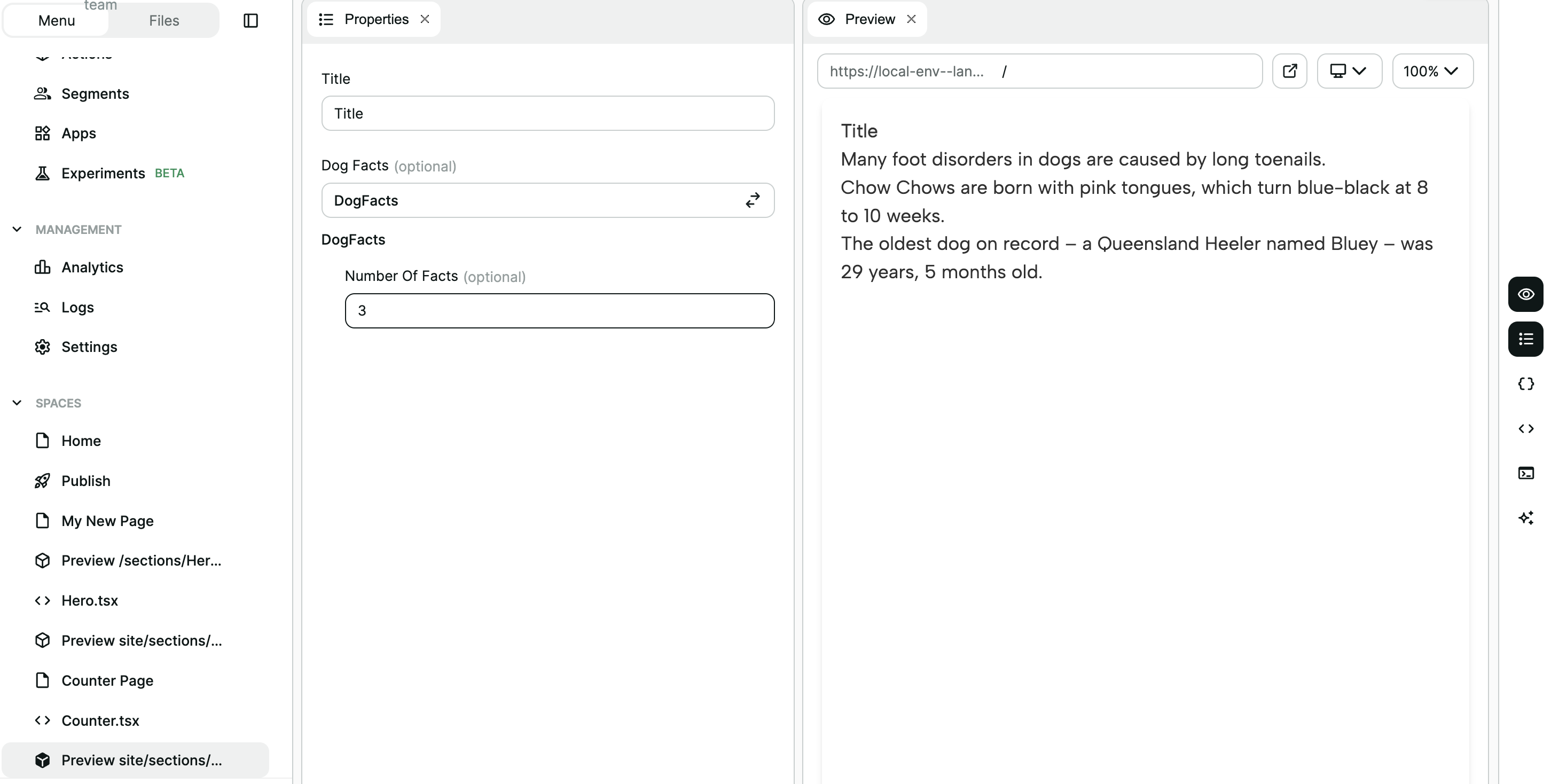
That's it!
You have successfully created a loader that can be used in different sections. Continue reading to see what else you can develop with deco.